


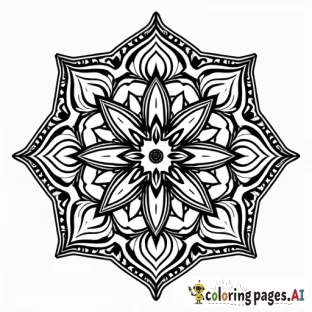
How to Create a PDF Coloring Book From Your Pages
Once you have a set of coloring pages you love, the natural next step is combining them into a single, print-ready PDF, a book you can print at home, give as a gift, or sell online. This guide walks through building a clean, professional PDF coloring book from start to finish.
1. Plan the book
Decide on a theme and page count first. A focused theme (animals, mandalas, a specific holiday) feels more like a real book than a random mix. Most coloring books run 20-60 pages.
2. Keep a consistent style
Generate every page in the same style so the book feels cohesive. Reuse the same style and outline keywords in each prompt, our prompt templates make this easy.
3. Set up the page
- Size: 8.5 x 11 inches is the standard.
- Margins: leave room so binding does not cut into the art.
- One design per page: add a blank back to prevent marker bleed-through.
- Resolution: export at 300 DPI for sharp lines.
4. Build the PDF
Use the PDF Book Creator to combine your pages, add a title page, and export a single file, no separate design software needed. Review the order and check that every page is the right way up.
5. Print or publish
Print at home for personal use, or upload to a print-on-demand service to sell. If you plan to sell, read our KDP guide and confirm your commercial license.
FAQ
What size should a coloring book be? 8.5 x 11 inches is the most common and printer-friendly.
How many pages do I need? 20-60 is typical; fewer is fine for kids or large-print books.
Can I sell the PDF I make? Yes, if your plan includes commercial rights and you avoid trademarked characters.
Ready to assemble your book? Generate your pages and combine them into a PDF.

Comments (0)
No comments found